
अगर आप भी Instagram पर दोस्तों से घंटों चैट करते हैं, तो एक सवाल शायद आपके दिमाग में कभी न कभी जरूर आया होगा — क्या मेरी Instagram चैट सुरक्षित है?
Honestly speaking, आजकल online privacy हर किसी के लिए बहुत बड़ी चिंता बन चुकी है। हम रोजाना personal photos, private बातें और कई जरूरी जानकारी सोशल मीडिया पर share करते हैं। ऐसे में अगर यह डेटा सुरक्षित न हो, तो परेशानी हो सकती है।
यहीं पर आता है Instagram Encrypted Messages का concept।
सरल शब्दों में कहें तो encrypted messages का मतलब है कि आपकी चैट ऐसी coding में बदल जाती है जिसे सिर्फ आप और सामने वाला व्यक्ति ही पढ़ सकते हैं। कोई तीसरा व्यक्ति — चाहे वह hacker हो या platform itself — उस message को सीधे पढ़ नहीं सकता।
To be honest, यह फीचर Instagram को पहले से ज्यादा secure बना देता है।
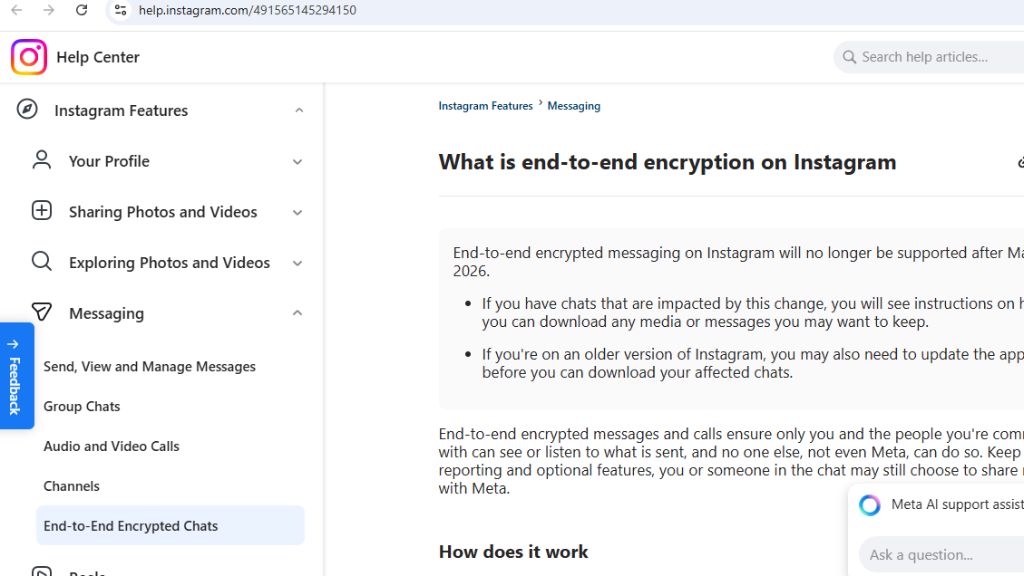
End-to-End Encryption क्या होता है?
जब भी encryption की बात होती है, तो एक term सबसे ज्यादा सुनाई देती है — End-to-End Encryption।
मैं आपको इसे बिल्कुल आसान तरीके से समझाता हूँ।
मान लीजिए आपने अपने दोस्त को Instagram पर एक message भेजा।
Normal messaging में यह message Instagram के server से होकर जाता है और theoretically server इसे access कर सकता है।
लेकिन End-to-End Encryption में कुछ अलग होता है।
यहाँ message भेजते ही वह automatically encrypt हो जाता है। फिर जब वह receiver तक पहुँचता है, तभी decrypt होता है।
इसका मतलब:
- Message सिर्फ sender और receiver पढ़ सकते हैं
- Server भी message को plain text में नहीं देख सकता
- Hack होने की possibility बहुत कम हो जाती है
Surprisingly, यही technology कई secure apps में पहले से इस्तेमाल हो रही है।
Instagram ने Encrypted Messaging क्यों शुरू किया?
Honestly speaking, privacy को लेकर users का pressure लगातार बढ़ रहा था।
लोग चाहते थे कि उनकी personal chats बिल्कुल private रहें।
Instagram की parent company Meta ने इसी वजह से encryption को धीरे-धीरे implement करना शुरू किया।
इसके पीछे कुछ मुख्य कारण हैं:
1. Privacy Protection
लोग अब अपनी personal information को ज्यादा सुरक्षित रखना चाहते हैं।
2. Data Security
Cyber attacks पहले से ज्यादा बढ़ गए हैं।
3. User Trust
अगर platform secure होगा तो users भी ज्यादा भरोसा करेंगे।
4. Competition
WhatsApp, Signal और Telegram पहले से encrypted messaging दे रहे थे।
Instagram Encrypted Messages कैसे काम करते हैं?
मैं आपको step-by-step समझाता हूँ।
1. Message Encryption
जब आप message भेजते हैं, तो वह automatically encrypted format में convert हो जाता है।
2. Secure Transmission
फिर वह encrypted data internet के माध्यम से receiver तक जाता है।
3. Decryption
Receiver के device पर message decrypt होता है और readable बन जाता है।
The best part is — इस पूरी प्रक्रिया के दौरान message सुरक्षित रहता है।
Instagram Secret Conversations Feature
Instagram में encrypted chat को अक्सर Secret Conversation के नाम से भी जाना जाता है।
यह feature खासतौर पर private chatting के लिए बनाया गया है।
इसके कुछ interesting features हैं:
Disappearing Messages
आप ऐसे messages भेज सकते हैं जो कुछ समय बाद automatically delete हो जाते हैं।
Screenshot Notification
अगर कोई आपकी secret chat का screenshot लेता है, तो आपको notification मिल सकता है।
Extra Privacy
Secret chats सामान्य chats से अलग secure layer में होती हैं।
Honestly speaking, यह feature privacy lovers के लिए काफी useful है।
Instagram Chat Security के फायदे
अब बात करते हैं कि encrypted messages से आपको क्या फायदा मिलता है।
Personal Data Protection
आपकी personal बातें सुरक्षित रहती हैं।
Hacker Protection
Encryption के कारण hacking मुश्किल हो जाती है।
Safe Communication
आप बिना डर के private chats कर सकते हैं।
Trustworthy Platform
Users को platform पर ज्यादा भरोसा होता है।
Instagram Encrypted Messages कैसे Activate करें
अगर आप यह feature इस्तेमाल करना चाहते हैं, तो आपको कुछ simple steps follow करने होंगे।
Step 1
Instagram app खोलें।
Step 2
जिस व्यक्ति से private chat करनी है उसकी chat open करें।
Step 3
Chat settings में जाएँ।
Step 4
Secret conversation या encrypted chat option select करें।
अब आपकी chat encrypted mode में शुरू हो जाएगी।
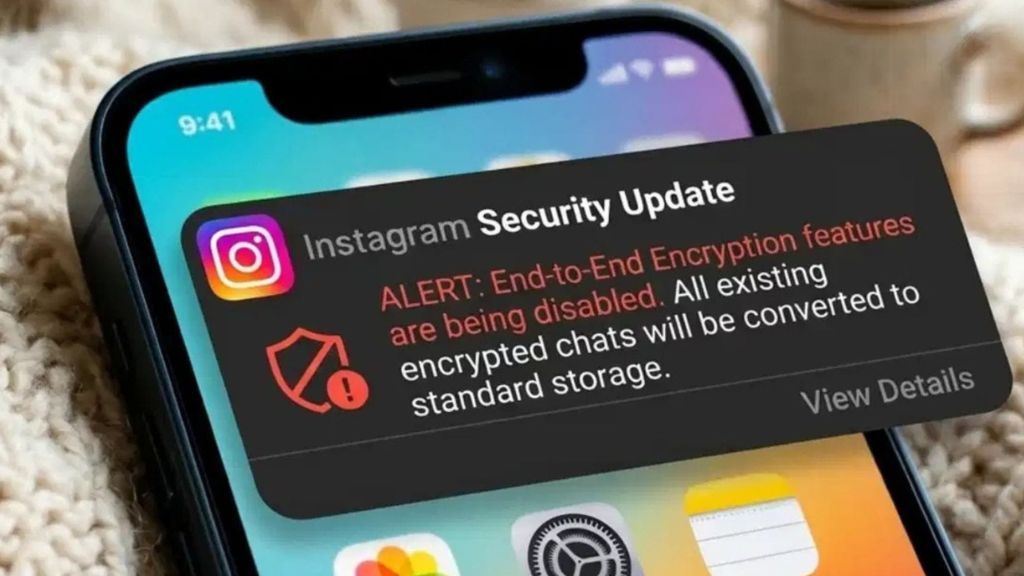
Instagram Privacy Settings जो आपको जरूर पता होनी चाहिए
Honestly speaking, encryption के अलावा भी कुछ settings हैं जो आपकी privacy को बेहतर बना सकती हैं।
Two Factor Authentication
यह आपके account को extra security देता है।
Message Control
आप decide कर सकते हैं कि कौन आपको message भेज सकता है।
Restricted Accounts
अगर कोई परेशान कर रहा है तो आप उसे restrict कर सकते हैं।
Block Feature
यह सबसे simple और powerful privacy tool है।
क्या Instagram Messages पूरी तरह सुरक्षित हैं?
To be honest, कोई भी platform 100% secure नहीं कहा जा सकता।
लेकिन encryption के कारण security level काफी बढ़ जाता है।
कुछ बातें ध्यान रखना जरूरी है:
- Strong password रखें
- Unknown links पर click न करें
- Two-factor authentication जरूर enable करें
अगर आप यह basic steps follow करते हैं तो आपकी Instagram chats काफी सुरक्षित रहती हैं।
Instagram Encryption और WhatsApp Encryption में फर्क
कई लोग पूछते हैं कि Instagram encryption और WhatsApp encryption में क्या difference है।
असल में WhatsApp में encryption by default होता है।
Instagram में अभी यह feature धीरे-धीरे roll out हो रहा है और कुछ chats में optional होता है।
लेकिन future में उम्मीद है कि Instagram भी default encryption provide करेगा।
Instagram Encrypted Messages का Future
Honestly speaking, आने वाले समय में social media platforms privacy को और ज्यादा serious लेने वाले हैं।
Experts मानते हैं कि future में:
- Default encryption होगा
- AI based security system आएंगे
- Chat privacy और बेहतर होगी
और शायद social media communication पहले से ज्यादा secure बन जाएगा।
Final Thoughts
अगर मैं अपनी personal opinion दूँ, तो Instagram Encrypted Messages एक बहुत जरूरी feature है।
आज के digital समय में privacy luxury नहीं बल्कि necessity बन चुकी है।
अगर आप Instagram का इस्तेमाल regularly करते हैं, तो encrypted chats और privacy settings जरूर explore करें।
The best part is — यह features इस्तेमाल करना काफी आसान है और आपकी online safety को कई गुना बढ़ा सकते हैं।
Honestly speaking, थोड़ा सा awareness और सही settings आपकी social media security को पूरी तरह बदल सकती हैं।
FAQs
1. Instagram Encrypted Messages क्या होते हैं?
Encrypted messages वह चैट होती हैं जिन्हें सिर्फ sender और receiver ही पढ़ सकते हैं।
2. क्या Instagram chats end-to-end encrypted होती हैं?
कुछ chats में encryption feature उपलब्ध है और future में इसे ज्यादा expand किया जा रहा है।
3. Instagram Secret Conversation क्या है?
यह private chat feature है जिसमें messages extra security के साथ भेजे जाते हैं।
4. क्या encrypted messages hack हो सकते हैं?
Encryption के कारण hacking काफी मुश्किल हो जाती है।
5. क्या Instagram messages automatically delete हो सकते हैं?
हाँ, disappearing messages feature के माध्यम से ऐसा संभव है।
6. Instagram chat privacy कैसे बढ़ाएं?
Two factor authentication और message control settings enable करें।
7. क्या Instagram screenshot notification देता है?
Secret chats में screenshot लेने पर notification मिल सकता है।
8. क्या Instagram encryption WhatsApp जैसा है?
Concept लगभग समान है लेकिन WhatsApp में यह default होता है।
9. Instagram encrypted chat कैसे शुरू करें?
Chat settings में जाकर secret conversation option activate करें।
10. क्या encrypted messages सुरक्षित होते हैं?
हाँ, यह सामान्य chats की तुलना में अधिक सुरक्षित होते हैं।

3 thoughts on “Instagram Encrypted Messages क्या हैं? Instagram चैट सिक्योरिटी और End-to-End Encryption की पूरी जानकारी”